


FreePrints Photobooks
4.815.85K Reviews
App Specs
- Version
- 3.18.0
- Updated On
- License
- Free
- Downloads
- 1,000,000+
- Developer
- PlanetArt
- Categories
- Photography
- Platform
- Android, iOS
Screenshots
 Analysis by AppCompare
Ever thought about how cool it would be to have a physical photo book of your favorite memories without breaking the bank? That's where FreePrints Photobooks comes into play. It's like having a mini print shop in your pocket, ready to turn your digital photos into stunning photo books.
What’s the Buzz About?
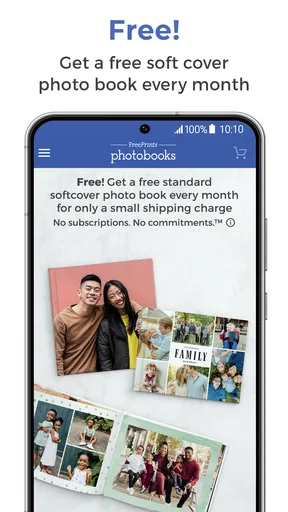
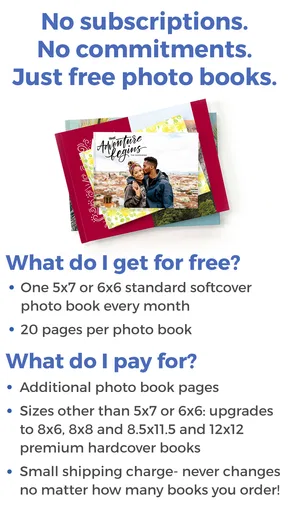
Alright, let’s dive into what makes FreePrints Photobooks a standout. This app is designed to let you create photo books effortlessly. The concept is simple: each month, you get one free 20-page photo book. Yup, you heard that right—free! You only cover the shipping costs, which is a pretty sweet deal if you ask me.
Easy Peasy Photo Selection
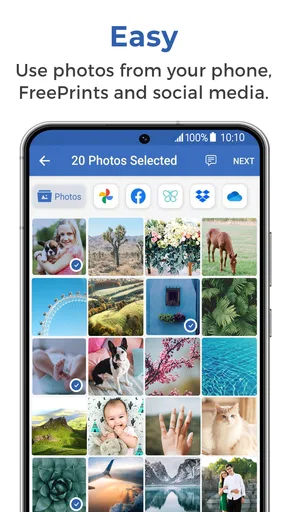
When it comes to selecting your photos, the app makes it super simple. You can pull images from your phone’s gallery, Instagram, Facebook, or even Google Photos. It’s like a buffet of your best snaps waiting to be turned into a keepsake.
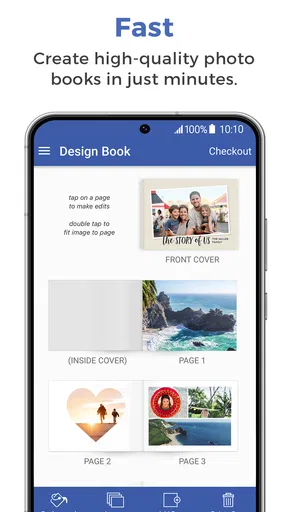
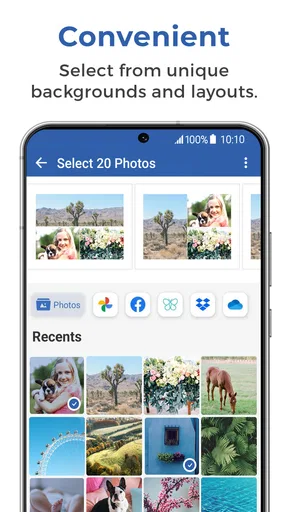
After selecting your photos, you can arrange them however you want. The app provides a bunch of layout options, so you can get creative. Want a full-page spread of that epic sunset photo? No problem. Prefer a collage of your weekend getaway? Go for it.
Customization at Your Fingertips
Customization is where FreePrints Photobooks really shines. You can add captions, choose different backgrounds, and even select from various cover styles. It’s like being a mini graphic designer without all the technical know-how.
Plus, the app’s interface is intuitive. You don’t need a degree in graphic design to figure it out. It’s all drag and drop, with clear instructions at every step. It’s user-friendly to the max.
Quality That Speaks Volumes
Now, let’s talk about quality. The photo books are printed on high-quality paper, and the images come out crisp and vibrant. It’s pretty impressive, especially considering you’re not paying a hefty price for it. The books are sturdy too, so they’ll survive countless flips through the pages.
Worth Reading Before You Choose

EA SPORTS FC Mobile 26 Is a Bigger Football Game, but It Takes Time

Flipboard Shows What News Apps Must Do Beyond the Feed

Switching to Android Auto Means Rethinking Your Driving Routine

Google Calendar Makes a Crowded Week Easier to Manage

Ludo King Makes the Most of the Minutes Between Plans

Baby Panda World Brings Quick Play to Modern Phones, but Its Game Library Feels Busy
And if you’re a perfectionist like me, you’ll appreciate the option to review your book before it goes to print. This way, you can make sure everything looks just right.
Shipping and Delivery
Once you’ve got your book all set, just hit order and wait for the magic to happen. The app gives you an estimate of when to expect your masterpiece. From my experience, the delivery is pretty punctual. It’s like getting a little surprise in the mail.
While you do have to pay for shipping, it’s a small price for such a personalized product. And if you decide you want more than one book a month, you can always order additional ones at a reasonable price.
Why It’s Worth Your Time
In a world where everything is digital, there’s something special about having a physical book to flip through. Whether it’s a gift for someone special or a personal keepsake, FreePrints Photobooks offers a unique way to cherish memories.
The app is perfect for folks who love capturing moments but don’t have the time or resources to create photo books from scratch. It’s also ideal for those who want to gift something personal without spending a fortune.
In short, if you’ve got a treasure trove of photos on your phone waiting to be showcased, give FreePrints Photobooks a whirl. It’s easy, cost-effective, and honestly, a lot of fun. You might just find yourself eagerly awaiting your next free book each month!
Pros
- User-friendly interface for quick navigation.
- High-quality photo prints with vibrant colors.
- Affordable pricing with monthly free offers.
- Wide range of customization options available.
- Fast delivery with reliable shipping services.
Cons
- Limited to one free book per month.
- Additional pages can become costly.
- Occasional app crashes during uploads.
- Limited editing tools within the app.
- Shipping fees apply despite free book offer.
FAQs for FreePrints Photobooks
What is FreePrints Photobooks and how does it work?
FreePrints Photobooks is an app that allows users to create custom photo books directly from their Android or iOS devices. Users can select photos from their phone’s gallery, social media, or cloud storage. The app provides an intuitive interface to arrange and customize photo books, which can then be ordered for delivery.
Are there any costs associated with using FreePrints Photobooks?
While the app is free to download and use, there are costs for printing and shipping the photo books. Each month, users can receive one free 20-page photo book, only paying for shipping. Additional pages and other customizations may incur extra charges, which are clearly detailed before purchase.
What customization options are available in FreePrints Photobooks?
FreePrints Photobooks offers a variety of customization options. Users can choose different layouts, themes, and backgrounds for their photo books. Additionally, the app allows for personalized captions and the option to add additional pages, ensuring that each book reflects the creator’s style and preferences.
How long does it take to receive a photobook after ordering?
Delivery times for FreePrints Photobooks vary depending on the user’s location and the shipping method chosen. Generally, users can expect their photo books to arrive within 5-10 business days after placing an order. Tracking information is provided to monitor the shipment process.
Is FreePrints Photobooks secure and private?
FreePrints Photobooks takes user privacy and data security seriously. The app uses secure connections to upload and store photos and ensures that personal information is protected. Users can review the app’s privacy policy for detailed information on how data is handled and stored.


